
Hey you wonderful crafters! I'm so thrilled that my mojo decided to come back home :) I have been spending considerable time working on some craft projects and boy, it feels good! I'm thoroughly enjoying all the 'creating'. Like right now, it's 11.30pm, husby darling is snoring softly, Little Miss is in baby dreamland and I'm up, all bright eyed, typing this post :)
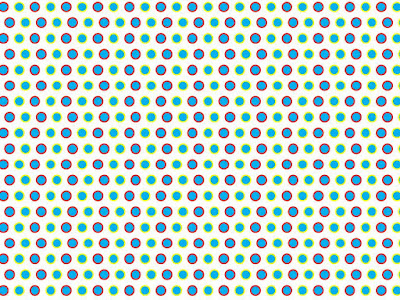
A little while ago, I was trying some things - experimenting with some designs for digital pattern paper. Like some mad possessed woman, I got so involved and carried away that I created quite a few. And then I felt so good about myself, I could almost touch the halo. And that angelic spirit coaxed me into sharing some with you :) So, here are three of my digital pattern papers. Simply click on the image to enlarge and save to your computer.


Hope you find a project for them. If you do use them, please do share a link to your project, I'd be delighted to see your creations!
I might add a bundle to my Etsy or Madeit store soon...
Enjoy!
Happy Crafting
P.S: I'm still figuring out if I can add pdf files to my blog posts. Which of you beautiful crafters know how? Pretty please...
A little while ago, I was trying some things - experimenting with some designs for digital pattern paper. Like some mad possessed woman, I got so involved and carried away that I created quite a few. And then I felt so good about myself, I could almost touch the halo. And that angelic spirit coaxed me into sharing some with you :) So, here are three of my digital pattern papers. Simply click on the image to enlarge and save to your computer.
Seeing Spots OrangeRed'n'Green

Seeing Spots BlueRed'n'Yellow

Candy Stripes

I might add a bundle to my Etsy or Madeit store soon...
Enjoy!
Happy Crafting
P.S: I'm still figuring out if I can add pdf files to my blog posts. Which of you beautiful crafters know how? Pretty please...


 View my Etsy Shop
